6 Best Scheduling Software for Plumbing Firms 2026
A plumbing dispatcher's worst hour looks like this: three emergency calls land at once, the nearest tech is already on a job running long, and the next available truck is 40 minutes the wrong direction. The dispatcher juggles a whiteboard, a phone, and memory — and somebody's two-hour window gets blown. The best scheduling software for plumbing companies turns that chaos into a system that knows who's free, who's closest, and which job is the emergency, and books accordingly.
This is a buyer's guide for plumbing owners and office managers choosing a dispatch and scheduling platform. We rank six options on the things a plumbing shop actually feels day to day: real-time dispatch, route optimization, customer notifications, and total cost at your truck count. We also show where an automation layer closes the gap between a calendar that holds appointments and a system that fills and routes them.
What plumbing scheduling software needs to do
Scheduling software for a plumbing company is a dispatch tool that books jobs, assigns them to the right technician based on availability and location, and keeps the customer informed — ideally reacting automatically to new calls and cancellations rather than waiting on a dispatcher.
TL;DR
ServiceTitan and Housecall Pro lead for full field-service depth. Jobber and Workiz win on price and simplicity for smaller shops. The differentiator across all of them is whether the system can react to a new job or a cancellation automatically — re-routing and re-booking without a dispatcher manually shuffling the board. That reactive layer is where most plumbing shops still lose hours.
Optimized dispatch routing cuts technician drive time by roughly 20% for field-service fleets according to the Aberdeen Group's 2024 field-service benchmark. The Aberdeen field-service research details routing gains by fleet size.
Who this is for
This guide fits a residential or commercial plumbing company running 3–40 trucks, $750K–$20M in revenue, with a dispatcher or office manager booking jobs today and a customer base that expects appointment windows and text updates.
Red flags — skip dedicated scheduling software if: you run a single owner-operator truck with under 8 jobs a week, you do only scheduled new-construction work with no emergency dispatch, or you have no intention of giving techs a mobile app. At that size a shared calendar is genuinely enough.
The 6 best scheduling platforms for plumbing, ranked
The cost column reflects a 6-truck shop; per-seat pricing scales with technician count. Contractor+ is listed first as a sponsored featured entry and is not part of the ranked six; the ranking below it is editorial.
| Platform | Best for | Real-time dispatch | Route optimization | Est. monthly cost (6 trucks) |
|---|---|---|---|---|
| Contractor+ (sponsored) | Shops mixing service calls with project work | Yes (live map) | Limited | $138–$214 |
| ServiceTitan | Larger plumbing ops | Yes | Yes | $600–$1,200 |
| Housecall Pro | Growing SMB shops | Yes | Yes | $169–$499 |
| Jobber | Small-team simplicity | Yes | Add-on | $169–$349 |
| Workiz | Call-center dispatch | Yes | Yes | $225–$399 |
| FieldEdge | QuickBooks-tight shops | Yes | Limited | $300–$600 |
| ServiceM8 | Micro-businesses | Yes | Limited | $49–$149 |
The average plumbing dispatcher spends 12–18 hours a week manually scheduling and re-routing jobs according to ServiceTitan's 2024 trades benchmark — labor that reactive automation directly compresses. The ServiceTitan trades report breaks dispatch hours out by trade.
Contractor+, Best for Plumbing Teams That Mix Service Calls With Project Work
Sponsored listing. Contractor+ is a paid sponsor of this placement; the overview below was provided by Contractor+.
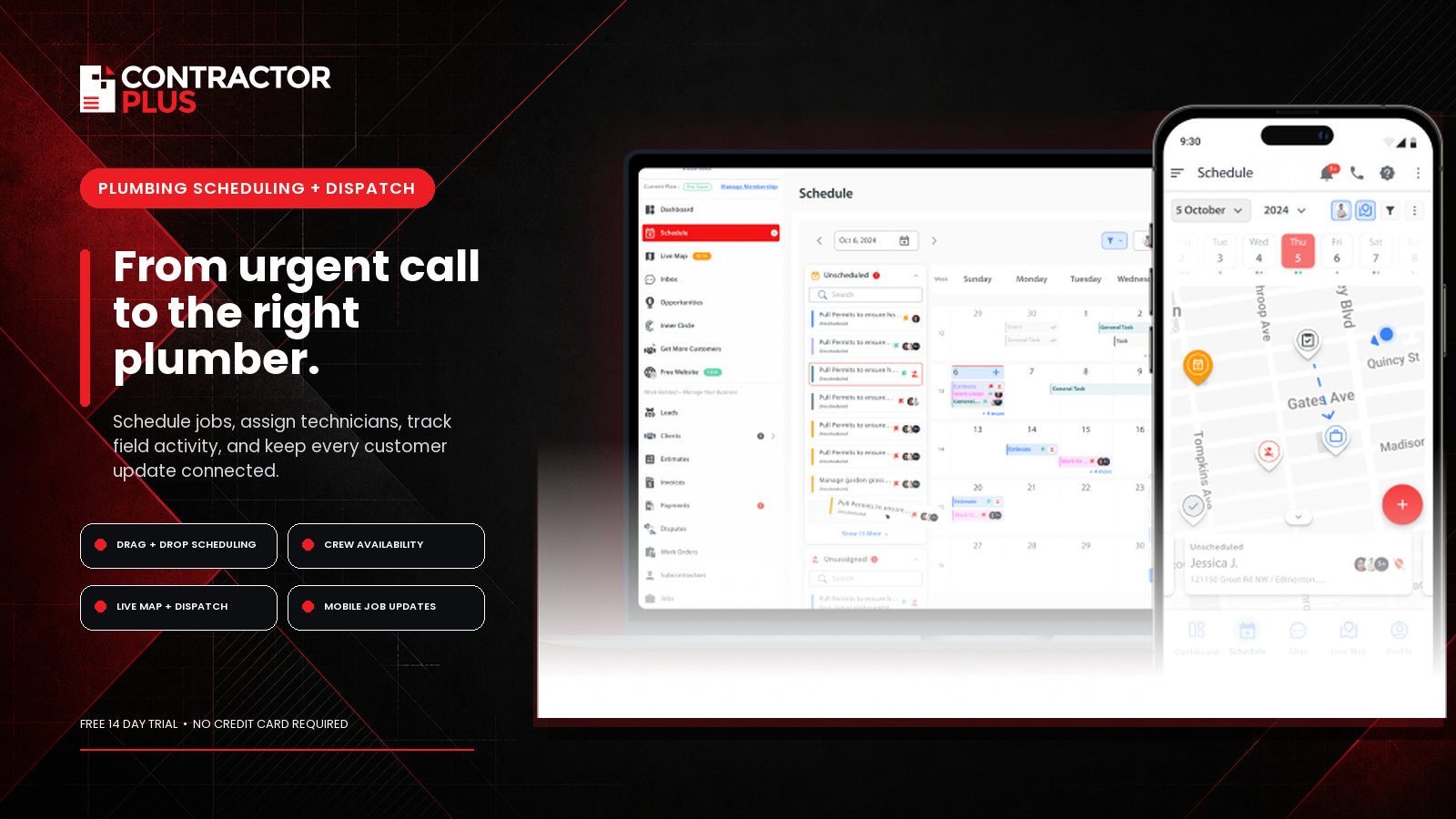
Contractor+ plumbing scheduling software connects a drag-and-drop calendar, unscheduled-work queue, team assignments, live-map dispatch, and mobile job updates with CRM, estimating, invoicing, payments, and project management. Dispatchers can assign work by availability or job location, reschedule visits by dragging them onto the calendar, and send "On the Way" customer notifications without moving the job into another system.
For a six-user plumbing shop, Pro Team costs approximately $138 per month when billed annually or $214 month to month. A 14-day Pro trial is available without a credit card. Contractor+ is well suited to small and growing shops that handle both short service calls and longer installations or remodels. Fleets that require predictive route sequencing, automatic cancellation filling, or enterprise-level emergency reprioritization should confirm those exact workflows during the trial or connect an external automation layer.
Where the platforms diverge on automation
Every platform here holds a calendar. The split is in reactivity. Basic tools book a slot and stop; the dispatcher still re-shuffles when an emergency lands or a tech runs long. The stronger tools — and any platform connected through an automation layer — respond to events: a cancellation frees a slot, a new emergency call jumps the queue, a delayed job pushes downstream stops and re-notifies customers.
| Capability | Calendar-only | Native dispatch tool | Automation layer (e.g., US Tech Automations) |
|---|---|---|---|
| Book a slot | Yes | Yes | Yes |
| Auto-fill cancellations | No | Limited | Strong |
| Cross-system triggers | No | Own data only | Any connected app |
| Re-notify on delay | Manual | Yes | Yes |
| Emergency re-prioritize | Manual | Limited | Strong |
When a job's job.status flips to "canceled" in the scheduling platform, US Tech Automations can read that event, scan the waitlist for a customer in the same service area whose window is still open, text them the freed slot, and re-route the technician — all before the dispatcher has noticed the gap. That's the difference between a calendar that records the cancellation and a system that recovers the revenue from it.
A worked example: recovering a blown window
Picture an 8-truck plumbing company taking about 60 service calls a day. Cancellations and no-shows leave roughly 9% of slots empty — about 5 wasted truck-hours daily — and the dispatcher fills maybe a third of those gaps by hand. Wire the automation: on every appointment.canceled event, US Tech Automations checks the same-day waitlist, finds a matching job within 10 minutes' drive, texts the customer the opening, and re-sequences the tech's route. Gap-fill rate climbs from ~33% to ~85%, recovering roughly 4 of those 5 daily truck-hours. Across a 5-day week at a $310 average ticket, that's around $6,200 in jobs that previously evaporated — with no extra dispatcher headcount.
Plumbing companies lose 8–12% of bookable capacity to unfilled cancellations according to Jobber's 2024 home-service report — capacity that automated waitlist fill directly recaptures. The Jobber home-service data details capacity loss by trade.
Pricing and the cost of manual dispatch
| Cost component | Manual dispatch | Reactive automation |
|---|---|---|
| Software seats | $150–$600/mo | $150–$600/mo |
| Dispatcher re-scheduling labor | 12–18 hrs/wk | 3–5 hrs/wk |
| Cancellation slots refilled | ~33% | ~85% |
| Customer notification | Manual/spotty | Automatic |
First-time-fix rate rises about 11 points when techs are routed with full job context according to Gartner's 2024 field-service analysis — context that automated dispatch carries into every assignment. The Gartner field-service research covers the context-to-fix-rate link.
Annual cost model: manual dispatch vs. software vs. orchestrated
The license fee is usually the smallest number on the sheet. The bigger costs are dispatcher labor, unfilled cancellations, and missed windows. Here is how those stack up for a 6-truck plumbing company running about 40 service calls a day.
| Cost line | Manual dispatch | Scheduling software | Software + automation |
|---|---|---|---|
| Software/year | $0 | $3,600 | $6,000 |
| Dispatcher labor/year (at $32/hr loaded) | $52,000 | $31,000 | $14,000 |
| Cancellation revenue lost/year | $48,000 | $32,000 | $8,500 |
| Missed window callbacks/year | $9,500 | $4,200 | $1,100 |
| Total annual operational drag | $109,500 | $70,800 | $29,600 |
Combining scheduling software with automation cuts annual operational drag by 73% versus manual dispatch. The license cost of adding automation is $2,400 a year; the labor and cancellation savings are $41,200 a year — a 17-to-1 return on the incremental software spend.
The dispatcher labor savings deserve a closer look because they compound differently than the cancellation numbers. A dispatcher who spends 15 hours a week re-routing jobs, filling gaps, and notifying customers of delays is spending those hours on reactive, low-value coordination. When the scheduling software plus automation layer handles those events — a job.status change triggers a re-route, a cancellation triggers a waitlist offer, a delay triggers a customer notification — the dispatcher's 15 hours collapse to 4 hours of exception review. That is 11 hours a week returned to booking new work, handling estimates, and managing technician schedules proactively rather than reactively.
Platform evaluation: what to ask before you buy
Every vendor demo looks clean because it's a demo. The questions below cut to the operational realities that show up on a busy Monday when three jobs run long and an emergency call comes in at 3 p.m.
Dispatch and reactivity questions
Ask whether the platform can automatically re-prioritize a queue when an emergency call arrives — not whether a dispatcher can do it manually, but whether the system does it without human intervention. Ask what happens when a technician marks a job as running over an hour long: does the platform automatically push downstream appointment windows and re-notify the customers, or does that require a dispatcher to notice the delay and act?
The right answer in both cases is "the system handles it." If the vendor says "your dispatcher can see the delay and update accordingly," that is a manual workflow dressed up as automation, and you will pay 15 dispatcher hours a week to operate it.
Integration and data questions
A scheduling tool that does not talk to your accounting system creates double entry. Ask specifically whether the integration with QuickBooks, Xero, or whatever system you use is two-way and real-time, or whether it is a batch export you run weekly. Ask whether technician status updates from the mobile app write back to the dispatch board in real time, or whether the dispatcher refreshes a screen to check.
The integrations that matter for a plumbing company are: the dispatch board (obviously), the customer database or CRM, the accounting tool, and the customer notification channel. If any of those four still require a human to copy data between systems, you have found the labor cost that did not show up in the pricing demo.
| Integration check | Manual / export only | Real-time two-way |
|---|---|---|
| QuickBooks sync | Dispatcher re-keys invoices | Job close auto-creates invoice |
| CRM customer record | Manual update after job | Auto-updates on booking + completion |
| Customer notifications | Dispatcher sends text | Platform sends on status change |
| Waitlist management | Dispatcher calls the list | System offers open slot automatically |
| Technician GPS / ETA | Dispatcher checks manually | Customer gets ETA automatically |
What to evaluate beyond the calendar
Two plumbing platforms can both "do scheduling" and still feel completely different on a busy Monday. The features below are where day-to-day pain actually lives, and they should drive your shortlist more than a glossy demo.
| Evaluation factor | Why it matters for plumbing | Question to ask the vendor |
|---|---|---|
| Emergency override | After-hours no-cool/no-water calls jump the queue | Can a high-priority job bump the board automatically? |
| Mobile tech app | Techs update status from the truck | Does it work offline in a basement? |
| Customer self-booking | Cuts inbound call volume | Can customers see real availability? |
| QuickBooks sync | Avoids double data entry | Is invoicing two-way or export-only? |
| Capacity reporting | Shows where trucks sit idle | Can I see utilization by tech and day? |
Field-service businesses recover 15–20% more bookable revenue after adding online self-scheduling according to a McKinsey study of service operations. The McKinsey service operations research details self-booking's revenue impact. Self-scheduling matters most for shops whose phones ring faster than the office can answer.
The hidden tax of double data entry
A scheduling tool that doesn't sync to your accounting system quietly costs you twice: once when the dispatcher books the job, again when someone re-keys it into QuickBooks for invoicing. Manual re-entry between disconnected field tools consumes 5–8 office hours per week for a typical multi-truck shop according to Intuit's 2024 small-business survey. The Intuit small-business data covers re-entry costs across trades. A platform with native two-way accounting sync — or an automation layer bridging the two — erases that tax entirely, which is often a bigger annual saving than the software fee itself.
When NOT to use US Tech Automations
If you run two trucks and a simple book-it-and-go schedule with rare cancellations, Jobber or ServiceM8 on their own will serve you fine — an orchestration layer is overkill for a small, stable board. And if you're already fully committed to ServiceTitan and its native dispatch and waitlist features cover your reactivity needs, you may not need a second system. US Tech Automations earns its place when your scheduling, your CRM, and your texting tool are separate products and you want one agent recovering cancellations and re-routing across all of them.
How to choose in five steps
Count your trucks and your daily call volume — that sets the price tier.
List the events you want automated: cancellation, emergency, delay, completion.
Confirm which of those your scheduler exposes via webhook or API.
Decide whether native dispatch covers your reactivity or you need orchestration to connect scheduler, CRM, and texting — model it in the agentic workflow builder.
Pilot with one crew before rolling out fleet-wide.
For the full stack budget, see our breakdowns on scheduling software cost for plumbing companies and why plumbing teams weigh scheduling software cost. If data entry and billing are upstream bottlenecks, the CRM data entry cost guide and invoicing software cost guide cover the systems that feed your dispatch.
Key Takeaways
The best scheduling platform depends on truck count and how much reactive dispatch you need — every option here holds a calendar; the differentiator is automation.
The biggest ROI is refilling cancellations: moving gap-fill from ~33% to ~85% recovers truck-hours that otherwise vanish.
Route optimization and automated customer notifications compound into higher first-time-fix and fewer missed windows.
Reactive automation reacts to events — cancellation, emergency, delay — so the dispatcher stops manually shuffling the board.
An orchestration layer is worth it when scheduling, CRM, and texting are separate systems.
Related guides
Referral software worth a closer look — Choose tools that convert satisfied plumbing clients into repeat referrals and new bookings.
Recovering missed appointments at scale — Automate no-show follow-up to win back the slots that gaps in your schedule leave open.
Ending the daily dispatch scramble — Walk through a step-by-step way to clear dispatch chaos and route plumbers without the mess.
Automatic parts-order notifications — Send customers updates on parts they're waiting for so your office handles fewer status calls.
Comparing FieldEdge with ServiceTitan — Decide between FieldEdge and ServiceTitan when picking the software to run your scheduling on.
Frequently asked questions
What is the best scheduling software for plumbing companies?
For larger operations, ServiceTitan offers the deepest dispatch and routing. Housecall Pro and Workiz fit growing shops, while Jobber and ServiceM8 win on price for small teams. The right pick depends on truck count and how much automated, reactive dispatch you need.
How much does plumbing scheduling software cost?
Expect roughly $49–$150 per month for a micro-business and $169–$1,200 for a multi-truck shop, scaling with technician seats. Enterprise platforms like ServiceTitan sit at the top of that range because they bundle marketing and reporting alongside dispatch.
Can scheduling software automatically fill cancellations?
The stronger platforms offer waitlist features, but coverage varies. An orchestration layer can listen for a cancellation event, find a matching waitlisted customer nearby, text them the freed slot, and re-route the technician automatically.
Does plumbing scheduling software optimize technician routes?
Most full field-service platforms include route optimization, which typically cuts drive time by around 20%. Smaller tools may offer it as an add-on. Routing matters most for fleets covering wide service areas with many daily stops.
Will the software notify customers about appointment windows?
Yes. Nearly all the platforms here send automated text or email confirmations and on-the-way alerts. Automating these notifications reduces no-shows and the inbound "where's my plumber" calls that tie up the office.
How do I know if I need automation on top of my scheduler?
If your scheduler holds appointments well but a dispatcher still manually re-shuffles for every cancellation or emergency, that reactive work is the gap automation fills. The signal is hours spent re-routing, not booking.
Ready to turn cancellations into recovered revenue? See US Tech Automations pricing and build your dispatch triggers.
About the Author

Helping businesses leverage automation for operational efficiency.


